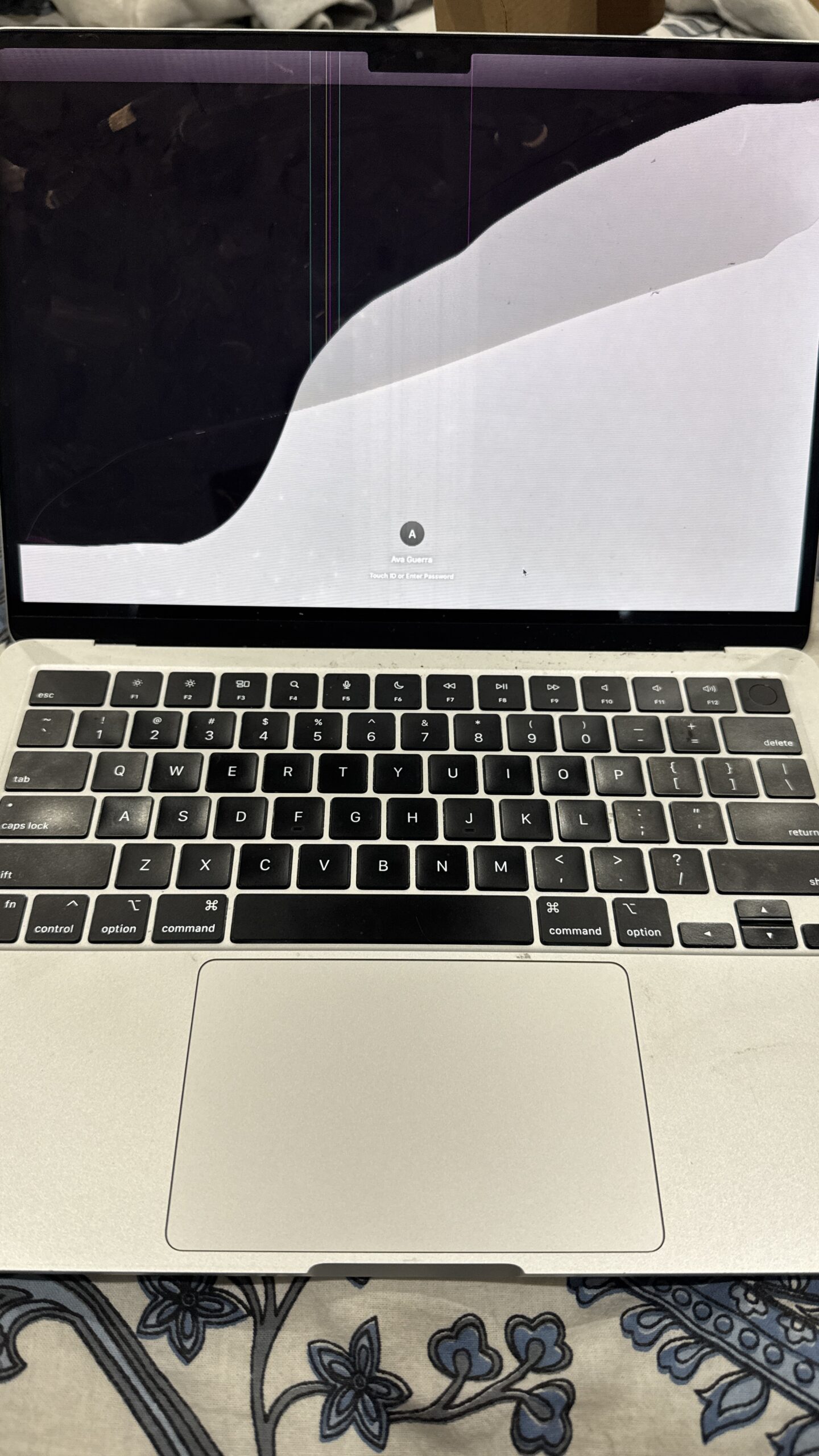
Moisture inside a MacBook display is one of the more confusing faults we see, because it rarely looks like water. People describe a grey cloud, a yellow tinge in one corner, a dark bloom that spreads over a few days, or a screen that looks fine first thing in the morning and goes patchy once the laptop warms up. Often there was no dramatic spill at all; the MacBook was left in a bag in the rain, used in a steamy kitchen, or carried from a cold car into a warm room.
What the patches actually are
A MacBook display is a sandwich: cover glass, then the LCD panel, then a stack of thin optical films and a diffuser, and behind all of that the LED backlight along the bottom edge. The whole assembly is sealed into the lid and is not designed to be opened.
When moisture gets in, it almost always sits between the optical films and the LCD, or soaks into the diffuser. A light grey cloud is vapour trapped between layers. A yellow or brown tint is the diffuser film absorbing water, and a dark patch is liquid that has reached the LCD’s polariser or the edge of the liquid crystal cell. Bright spots along the bottom edge can be moisture on the backlight strip, and if the liquid was anything other than clean water, that strip is also where corrosion starts.
What not to do
- Do not put the MacBook in rice, in a warm oven, on a heater or under a hair dryer. Heat drives moisture further into the film stack and can delaminate the layers, turning a recoverable panel into a scrapped one.
- Do not keep running it at full brightness in the hope of drying it out. The backlight warms the bottom edge and pushes vapour upward across the panel.
- Do not press on the glass to see if the patch moves. It will, and it will leave a permanent bruise.
- If any liquid went in through the keyboard as well, shut the MacBook down and do not charge it.
If the moisture arrived with a drop or a knock, there may also be a crack you cannot see yet; our guide on whether to repair or replace a cracked MacBook screen covers that side.
What sometimes works
Light condensation from a temperature change can clear on its own. Leave the MacBook switched off, lid open, in a dry room for 24 to 48 hours. If the cloud shrinks noticeably in the first day, it will usually go completely.
A patch that has not changed after two days, has a defined dark edge, or is yellow rather than grey, is not going to clear. The film has absorbed the moisture and the discolouration is now part of it.
How we assess it
We inspect the panel across white, black and mid-grey backgrounds, both cold and after fifteen minutes at working temperature, because many moisture faults only show once the backlight warms up. We also check the display cable and backlight connector, since a spill that reached the screen often reached those as well.
If only a film is affected, the honest answer is still a display replacement in most cases, because the layers cannot be separated and refitted reliably on a Retina lid. Where the damage is confined to the backlight edge on an older model we can sometimes service that strip.
Cost and time in general terms
A display assembly replacement is the usual repair, and the cost depends on the model and panel size; Air and 13-inch Pro displays sit lower than the 14 and 16-inch Pro displays. Our services page outlines the range, and the quickest way to a firm quote is to send us the model identifier, which our guide to locating your MacBook model number explains. Most display replacements are done the same day when the panel is in stock.
When to bring it in
Bring the MacBook in as soon as the patch stops shrinking, or straight away if there was a spill, any smell, or if the screen also flickers or dims on one side. Those are signs the moisture has reached the backlight or cable, and the sooner it is cleaned the less will need replacing. You can check which models we support on our MacBook models page.
Frequently asked questions
Will the patch keep spreading?
Condensation usually stops where it is. Moisture that has soaked into a film tends to spread slowly for a few days as the laptop is used and warmed, then stabilises. Dark patches at the LCD edge do keep growing.
Can the display be dried out instead of replaced?
Occasionally on an older non-Retina model. On Retina displays the film stack and panel are bonded together and cannot be opened without damage, so replacement is the reliable fix.
Does the new display include the camera and backlight?
Yes. A MacBook display assembly is the complete lid with panel, backlight, camera and cables, so everything in the lid is renewed at once.
Book a MacBook display repair in Bentleigh East
Macbook Screens is at 2 Bellevue Road, Bentleigh East VIC 3165, with parking at the door, and we are open 7 days from 5am to 11pm. Call or text 0421 388 876 with your model and a photo of the screen and we will tell you the same day whether it can be saved.
Leave a Reply