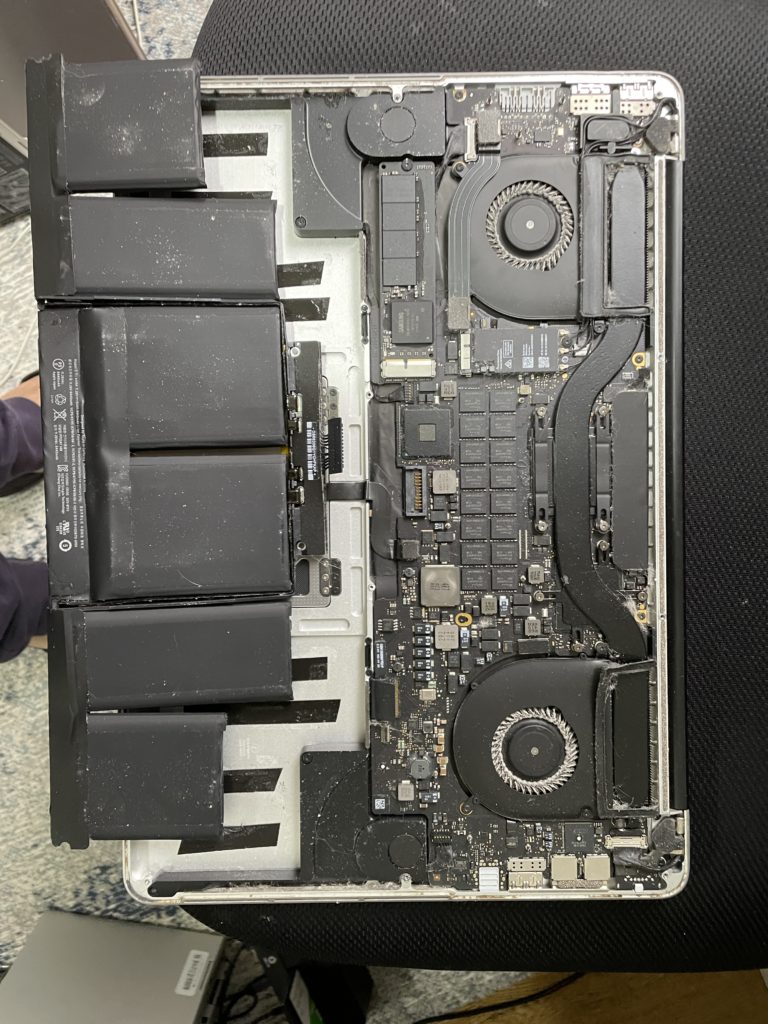
The 14-inch and 16-inch MacBook Pro introduced in late 2021, and carried through the M2, M3 and M4 generations, use a display Apple calls Liquid Retina XDR. Behind that name is a mini-LED backlight with thousands of local dimming zones, a 120Hz ProMotion panel, and the notch. It is the best screen Apple has put in a laptop, and it is also the most expensive one to replace and the most particular about how it is done. If yours has cracked, gone dark or started showing blotches, here is what makes these displays different and how we handle them at our Bentleigh East workshop.
What is different about a mini-LED MacBook Pro display
- The backlight is part of the panel. Older Retina displays had an edge-lit backlight; here the LEDs sit directly behind the LCD in dimming zones. A backlight fault cannot be repaired separately from the panel the way it sometimes could on a 2015 or 2017 model.
- 120Hz ProMotion and the notch. The panel, its timing controller and the camera module in the notch are built as one lid assembly. Replacing just the glass or just the LCD is not a realistic option.
- Lid-mounted components talk to the logic board. The display assembly carries the camera, ambient light sensor and the display’s own firmware. After a replacement, macOS checks that these are present and behaving, which affects True Tone and, on some units, shows a notice about an unknown display part.
- It is heavier and stiffer. The 16-inch lid in particular is prone to hinge and cable stress if the laptop has been dropped, so we always check the hinges and flex cable when we replace the display.
The faults we see on 14-inch and 16-inch models
- Cracked glass from a drop or something closed in the lid, often with a black spreading patch and coloured lines.
- Blotchy or uneven backlight, sometimes described as “blooming” around bright objects on a dark background. A small amount of bloom is normal on mini-LED; large dark patches or zones that stay lit are not.
- Screen stays black while the MacBook is clearly on and an external monitor works.
- Flicker or pink and green lines that change when the lid angle changes, which points to the display flex cable rather than the panel.
What to check before you book
Connect an external monitor or TV over HDMI or USB-C. If the picture appears there, the logic board and graphics are fine and the fault is in the lid. Try closing and opening the lid slowly: if the image flickers or returns at certain angles, that is the flex cable, which is a far cheaper repair than the panel. And confirm your model using Apple menu, About This Mac, or the model number on the underside; our guide to finding your MacBook model number walks through it. The 14-inch models are A2442, A2779, A2918, A2992 and A3112; the 16-inch are A2485, A2780, A2991 and A3186.
How we replace a Liquid Retina XDR display
We replace the complete display assembly, which is the only reliable repair on these models. We source the correct assembly for your exact model and generation, because an M1 Pro 14-inch and an M3 14-inch lid are not interchangeable despite looking identical. The bottom case comes off, the display cables are disconnected from the logic board, the hinge screws are removed and the lid is swapped. We then run the display through a full test: brightness, local dimming behaviour, 120Hz, camera, ambient light sensor and True Tone. Where the part allows it, we pair the display so that True Tone works and no “unknown part” notice appears; we tell you in advance if that is not possible with the part available. For what to do with your data beforehand, see our note on backing up before a screen repair, though a display swap does not touch the drive.
Cost and time in general terms
These are the most expensive MacBook displays to replace, with the 16-inch costing more than the 14-inch and the newer generations more than the 2021 originals. The assembly is the bulk of the cost. A flex cable fault, by contrast, is a modest repair. We quote after confirming the model and the fault, and if the MacBook is under AppleCare+ we will say so and suggest you use it, because the excess may be less than a third-party repair. Turnaround is usually one to three days depending on part availability, and same day when we have the assembly in stock.
Frequently asked questions
Will True Tone work after a replacement?
With a correctly paired display, yes. With some replacement parts True Tone is unavailable and macOS may show a notice about the display. We tell you which applies before you commit.
Can you fix just the cracked glass on a 14-inch or 16-inch MacBook Pro?
No. The glass, panel and mini-LED backlight are laminated together, so the whole assembly is replaced. Our general guide to repairing or replacing a cracked MacBook screen covers the older models where more options exist.
Is some blooming around bright text normal?
A faint halo around a white cursor on a black background is normal for mini-LED. Large patches, zones that stay bright, or an area that is noticeably dimmer than the rest are faults.
Book a MacBook Pro display replacement
Macbook Screens replaces 14-inch and 16-inch MacBook Pro displays at 2 Bellevue Road, Bentleigh East VIC 3165, with parking at the door, open 7 days from 5am to 11pm. Call 0421 388 876 with your model number for a quote, or browse the MacBook models we cover.
Leave a Reply