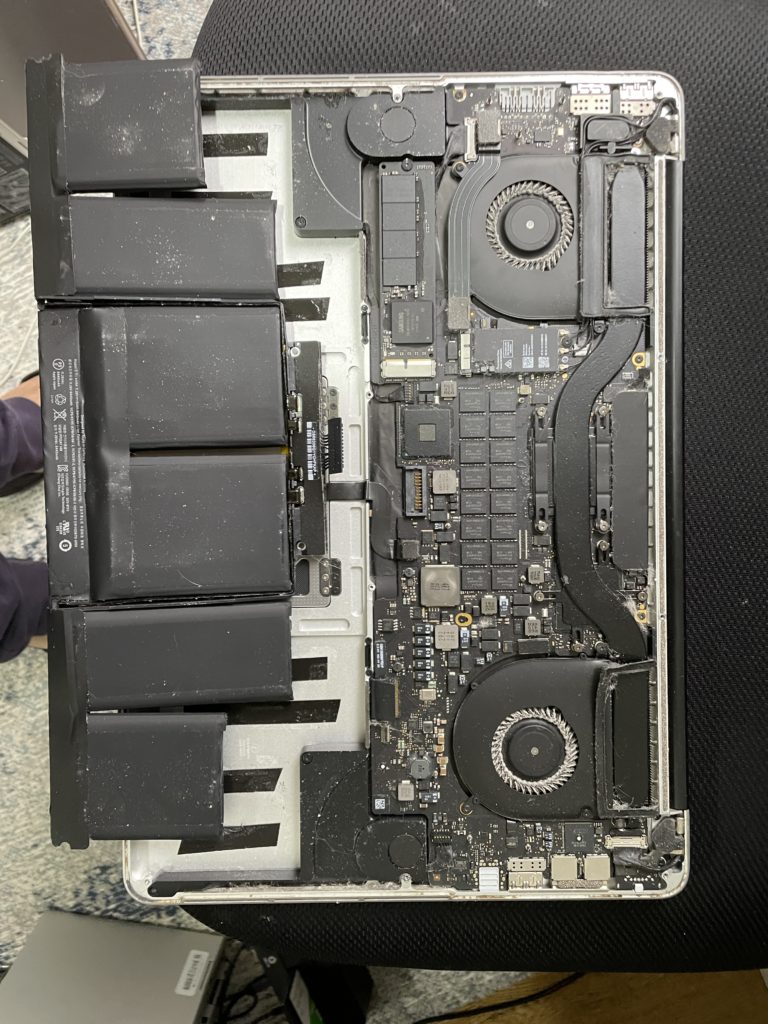
A MacBook with a dark screen is alarming, but a dark screen and a dead MacBook are two very different things. If the machine chimes, the keyboard backlight comes on, the Caps Lock light responds or you can hear the login sound, the Mac is running. What has failed is the backlight, the strip of LEDs that lights the display from behind. We repair MacBook backlight failure on everything from 2012 Retina models to current Apple silicon machines, and the good news is that in most cases the data and the Mac itself are completely fine.
The thirty-second torch test
Before anything else, confirm it really is the backlight. Take the MacBook into a dim room, wake it, and shine a phone torch at the screen at a steep angle. If you can make out a ghost of the desktop, your login window or the mouse pointer, the panel is producing an image and only the backlight is missing. That one observation rules out the graphics, the operating system and the panel’s image circuitry in one go. If the torch shows nothing at all, the problem is elsewhere and the diagnosis takes a different path.
The four causes we find, in order of frequency
1. The display cable (and why some models fail more than others)
On the 2016 to 2017 MacBook Pro in particular, the thin flex cable that carries backlight power wraps around the hinge and wears through with every open and close. Early on it shows as a stage-light effect along the bottom of the screen; later the backlight cuts out completely once the lid passes a certain angle. We have written about this separately in our Flexgate guide. The tell-tale sign is a backlight that returns when the lid is tilted to a specific position. The cable is built into the display assembly on these models, so the repair is usually a display replacement.
2. A blown backlight fuse on the logic board
The backlight runs at a higher voltage than most of the board, and that line is protected by a small fuse. A liquid spill, a damaged display cable that shorts, or in rare cases simple age can blow it. When this happens the screen is uniformly dark with no flicker at any lid angle, and an external monitor works perfectly. This is a board-level repair done under the microscope. It is quick once the cause of the short is found and removed, and far cheaper than a new logic board. We always fix the reason the fuse blew; a new fuse alone just blows again.
3. A failed backlight driver circuit
Behind the fuse sits a driver chip that boosts voltage to the LEDs. Liquid damage, a shorted panel or a power surge can kill it. The symptoms overlap with a blown fuse, which is why we test the whole circuit rather than guessing. Parts are specific to each generation, so we identify the exact machine first; our page on how to find your MacBook model number shows where to look.
4. The LED strip inside the panel itself
The LEDs are bonded into the display assembly. Water that has crept under the screen, a drop that has cracked the light guide, or one section of LEDs failing shows up as a screen that is dark on one side, blotchy, or much dimmer than it should be at full brightness. There is no way to service the strip on a Retina panel, so this is a display replacement. We confirm the board side is healthy before quoting, so a board fault cannot darken the new display.
What to try at home
- Press the brightness-up key several times. It sounds obvious, but a keyboard shortcut or a stuck key can drop brightness to zero.
- Connect an external monitor. If it shows the desktop, the Mac and its graphics are fine and the fault is in the backlight path.
- Tilt the lid slowly from fully open to nearly closed. A backlight that flickers on at one angle points straight at the display cable.
- If there has been any liquid near the Mac recently, stop here, shut it down and bring it in. Powering a wet board repeatedly is what turns a fuse repair into a board repair.
Cost and time in general terms
A board-level fuse or driver repair is the least expensive outcome and is often turned around within a day or two. A display assembly replacement costs more because the part is a full screen, and the price varies a great deal by model; a 13-inch Air panel and a 16-inch Pro Liquid Retina XDR panel are in different leagues. We quote per model after testing, and our MacBook models page lists what we cover. Where a display is needed we fit it the same day whenever the part is in stock.
Frequently asked questions
Is my data safe with a backlight failure?
Yes. The storage and logic board are working normally, which is why you can still hear sounds and use an external screen. We recommend a backup before any repair as a matter of habit, but the fault itself does not touch your files.
Can I keep using the Mac with an external monitor?
If the cause is a worn display cable or a dead LED strip, using it with a monitor in the meantime is fine. If liquid is involved we would rather you did not, because the short that darkened the screen can spread to other circuits while powered.
Why not just replace the whole display straight away?
Because in a large share of cases the display is fine and the fault is a small component on the board. Testing first means you pay for the repair you actually need.
If your MacBook is running but the screen has gone dark, bring it to Macbook Screens at 2 Bellevue Road, Bentleigh East VIC 3165, with parking at the door. We are open 7 days, 5am to 11pm. Call 0421 388 876, see our screen and display services, and we will tell you within the hour whether it is a quick board repair or a display replacement.
Leave a Reply